
Infotainment Features That Improve Driving Experience?
>> Automobile>> Infotainment Features That Improve Driving Experience?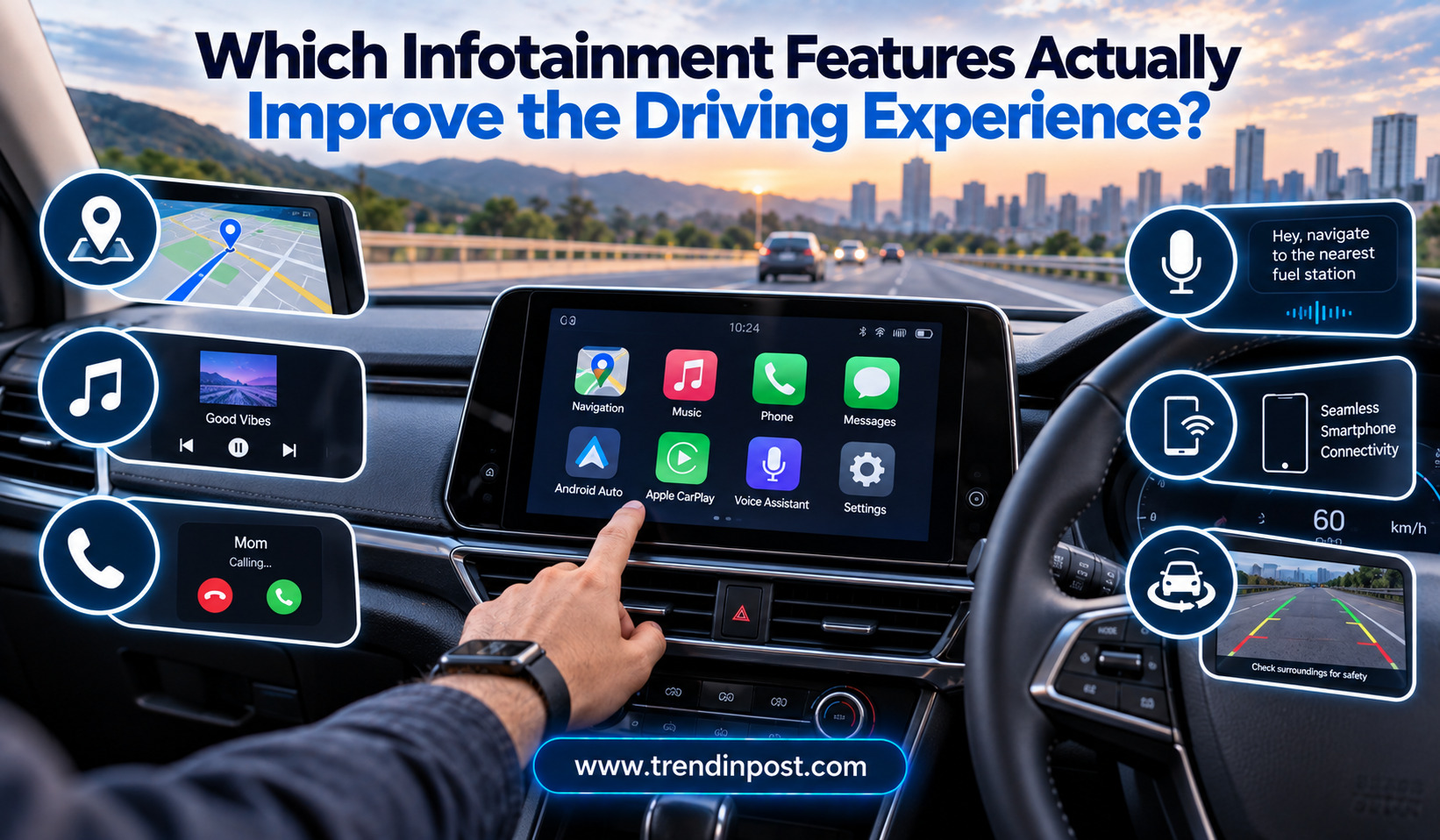
Infotainment Features That Improve Driving Experience?
Infotainment systems have become an important part of the modern car-buying decision. A few years ago, a basic music system and Bluetooth connection were enough for many drivers. Today, new cars can offer large touchscreens, wireless smartphone connectivity, navigation, voice commands, connected services, digital displays and wireless charging.
With so many features being promoted, however, an important question remains: Which infotainment features genuinely make driving better, and which ones are mainly designed to look impressive in a showroom? Infotainment Features That Improve Driving
A large screen or a long list of digital functions does not automatically create a better driving experience. The most useful systems are usually the ones that allow drivers to access important information and entertainment with minimal distraction. Ease of use, reliable connectivity and clear information can be more valuable than screen size or the number of applications built into the system.
As infotainment technology continues to spread across affordable hatchbacks, sedans and SUVs, buyers are increasingly comparing these systems before choosing a particular variant.
Smartphone Connectivity Is One of the Most Useful Features
For many drivers, smartphone integration is arguably more important than the size of the infotainment display. Systems such as Apple CarPlay and Android Auto can connect compatible smartphones to the vehicle’s screen and provide access to navigation, music, calls and supported applications.
The biggest advantage is familiarity. Drivers can use interfaces and applications they already know instead of learning an entirely new system.
Wireless smartphone connectivity can make the experience even more convenient because drivers do not necessarily need to connect a cable every time they enter the vehicle. However, wired connectivity can still be useful because it can provide a stable connection and charge the phone at the same time.
Navigation Can Reduce Driving Stress
Integrated navigation can be useful when travelling through unfamiliar areas. A good navigation system can provide directions, route information and estimated arrival times without requiring the driver to hold or constantly check a phone.
However, navigation quality varies significantly between systems. Some built-in systems may offer excellent mapping, while others can feel outdated compared with smartphone navigation services.
For this reason, smartphone navigation compatibility is often an important consideration when evaluating an infotainment system.
Voice Commands Can Improve Convenience
Voice control is another feature that can contribute to safer and more convenient interaction with the vehicle. Instead of manually searching through menus, drivers can use voice commands for certain functions.
Depending on the system, voice controls may support navigation destinations, phone calls, music selection or other vehicle functions.
The quality of voice recognition is important. A system that frequently misunderstands commands can become frustrating and may encourage the driver to use the touchscreen instead. Buyers should therefore focus on how naturally the system responds rather than simply checking whether voice control is listed in the specifications.
A Responsive Touchscreen Matters More Than Screen Size
Large displays are now common in new cars, but screen size alone does not determine infotainment quality. A smaller screen with a fast interface can be more pleasant to use than a huge display that responds slowly.
A good infotainment system should allow drivers to find important functions quickly. Menus should be logical, icons should be easy to understand and commonly used controls should not be buried several layers deep.
Touchscreen placement is also important. A display positioned within comfortable reach can be easier to operate than one mounted too far away or at an awkward angle.
Physical Controls Still Have an Important Role
Despite the rise of touchscreens, physical controls remain useful for functions such as volume, temperature and other frequently adjusted settings.
A physical knob or button can often be operated with less visual attention than a touchscreen control. This can be particularly helpful while driving.
Some modern cars have moved almost every function onto a touchscreen, creating a cleaner dashboard design. While this can look futuristic, it may not always be the most convenient solution.
The ideal system often combines digital functionality with simple physical controls for frequently used features.
Wireless Charging Can Be Convenient
Wireless smartphone charging is another feature becoming increasingly available in mainstream vehicles. It allows compatible phones to charge without requiring a cable.
For drivers who use their phone regularly for navigation and communication, this can be convenient. However, wireless charging speeds and compatibility can vary, and some phones may become warm during charging.
A wireless charging pad is therefore a useful convenience feature, but it should not be considered a major reason to choose a more expensive car variant if the price difference is substantial.
Bluetooth Remains Relevant
Bluetooth may not sound like an advanced feature anymore, but reliable Bluetooth connectivity remains important. It allows drivers to make hands-free calls and stream audio without physically connecting a phone.
The quality of the Bluetooth system matters more than simply having the feature. Fast pairing, stable connections and clear call quality can significantly improve the everyday experience.
For drivers who frequently make calls while travelling, a well-designed hands-free system can be far more valuable than decorative infotainment features.
Connected-Car Technology Adds Another Layer
Many modern vehicles now offer connected-car technology that links the car to a smartphone application. Depending on the manufacturer, owners may be able to check vehicle information, receive service reminders or access certain remote functions.
Some systems can also provide location-related services, emergency assistance and vehicle-status information.
These features can be useful, but their long-term value depends on the services offered and whether subscriptions are required. Buyers should understand exactly what is included before considering connected technology a major reason to upgrade.
Audio Quality Can Change the Cabin Experience
An infotainment system is also responsible for the vehicle’s audio experience. While the number of speakers can be used as a marketing point, speaker count alone does not determine sound quality.
Good tuning, speaker placement and cabin acoustics can make a larger difference. Premium audio systems can be attractive to music-focused buyers, but they may not provide enough additional value for someone who mainly listens to radio or podcasts.
For regular commuters, a clear and reliable audio system can improve the driving experience considerably.
Digital Instrument Displays Can Reduce Information Clutter
Digital instrument clusters are increasingly being paired with infotainment systems. They can display speed, fuel information, trip details, navigation instructions and other data directly in front of the driver.
The advantage is that the driver may not need to look toward the centre screen for every piece of information.
However, digital displays should be designed with simplicity in mind. Too much information can become distracting. A useful system should highlight important information rather than filling the screen with unnecessary graphics.
Infotainment Features That Offer the Most Practical Value
| Feature | Everyday usefulness | Why it matters |
| Android Auto/Apple CarPlay | Very high | Easy access to familiar navigation and media |
| Reliable Bluetooth | Very high | Hands-free calls and wireless audio |
| Voice control | High | Reduces manual interaction |
| Good navigation | High | Useful for unfamiliar routes |
| Responsive touchscreen | High | Faster and easier interaction |
| Physical controls | High | Quick access to common functions |
| Wireless charging | Medium | Convenient for compatible phones |
| Connected-car services | Medium | Adds remote and vehicle-status functions |
| Premium audio | Medium | Valuable for frequent music listeners |
| Large display | Medium | Useful when interface is well designed |
Too Much Technology Can Become a Distraction
More technology is not automatically better. An infotainment system that demands frequent attention can potentially distract the driver.
Important functions should be easy to access, while complicated settings should ideally be handled when the vehicle is parked.
Manufacturers are increasingly trying to balance large digital displays with voice controls, steering-wheel buttons and simplified menus. Buyers should pay attention to this balance when testing a vehicle.
Software Updates Are Becoming More Important
Modern infotainment systems depend heavily on software. As a result, update support can influence the long-term ownership experience.
Software updates may improve functionality, fix bugs and enhance compatibility with smartphones. Some connected vehicles can receive updates remotely, while others may require a service-centre visit.
Buyers should consider the manufacturer’s approach to software support when comparing vehicles with similarly priced infotainment systems.
Don’t Choose a Car Based Only on the Biggest Screen
A large display can create a strong first impression in a showroom, but it should not be the main measure of infotainment quality.
A useful infotainment system should be reliable, intuitive and easy to operate. Smartphone integration, navigation, voice commands and good audio quality can have a greater impact on daily driving than screen dimensions.
Drivers should also test the system themselves. Pairing a smartphone, checking menu responsiveness, testing voice commands and adjusting common controls can reveal more than a specification sheet.
Infotainment Should Support the Driver
The best infotainment systems are designed to complement driving rather than compete with it. Drivers should be able to access essential information quickly without spending unnecessary time looking away from the road.
This is particularly important as vehicles add more digital functions. Features should simplify everyday tasks rather than create additional layers of complexity.
For buyers, the question should therefore not be “How many features does this car have?” but rather “How useful are these features during my normal driving?”
Final Thoughts
Infotainment has become a major part of the modern car experience, but not every feature deserves equal importance. Smartphone integration, reliable Bluetooth, useful navigation, voice commands, responsive interfaces and easy-to-use physical controls can provide genuine everyday benefits.
Wireless charging, connected-car services, premium audio and digital displays can also improve the experience, particularly for buyers who will use them regularly.
The most important factor is usability. A simple, responsive and reliable infotainment system can be more satisfying than a complicated setup filled with functions that are rarely used.
Before buying a car, buyers should test the infotainment system rather than judging it only by screen size or the number of features listed in the brochure. The right system should keep drivers connected and informed while making the overall driving experience easier, not more distracting.
FAQs
Which infotainment feature is most useful in a modern car?
Smartphone integration such as Apple CarPlay and Android Auto is one of the most useful features because it provides familiar access to navigation, calls and music.
Is a larger infotainment screen better?
Not necessarily. Screen responsiveness, software design, visibility and ease of use are generally more important than screen size alone.
Is wireless charging worth paying extra for?
It can be useful for drivers who regularly use their smartphones for navigation and other tasks. However, it is usually a convenience feature rather than an essential upgrade.
Are physical buttons still important in modern cars?
Yes. Physical controls can make frequently used functions such as volume and climate adjustments easier to operate without taking as much visual attention away from driving.
Does connected-car technology make a car better?
It can add useful services such as vehicle information, service reminders and selected remote functions. Its value depends on the features provided and any subscription requirements.
Related Post

Car Safety Features Worth Paying More for in 2026
Car buyers in 2026 have more safety technology to choose from than ever before. Even…